
Overview
The AppsAnywhere Appliance by default will check for system and system component updates every month on the anniversary of its deployment and from AppsAnywhere v2.10, the update process will perform an automatic reboot of the appliance once complete.
A custom system update schedule should be defined by following the steps below.
Customer access to the appliance is only available via the hypervisor console (e.g. via vSphere or Hyper-V).
The Configure System Updates section of the AAC allows you to:
-
View Current Update Schedule
-
Set System Update Schedule
-
Run Manual System Update
-
View System Update Log
-
Run Manual Deployment Tools Update
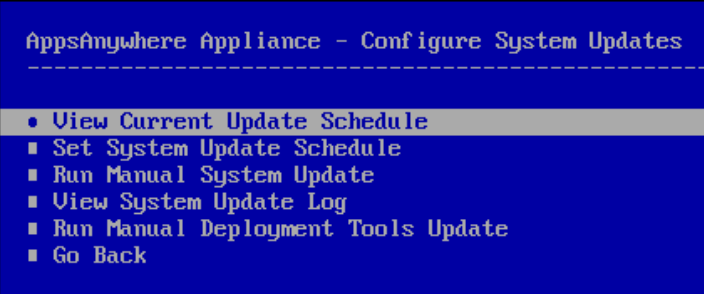
View Current Update Schedule
The View Current Update Schedule option will display the currently defined custom update schedule.
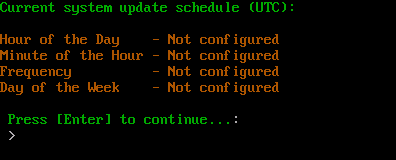
If no previous custom update schedule has been defined the status will be displayed as Not configured. In this situation the default OOB (out-of-box) monthly update check schedule will be used.
Set System Update Schedule
The Set System Update Schedule option allows you to define a custom update schedule. You can specify the hour and minute of the day as well as the frequency, i.e. Daily, Weekly, Monthly. For a Weekly update schedule, the day of the week can be selected. For a Monthly update schedule the day of the week can also be selected and the process will run on the first instance of that day each month (e.g. the first Sunday of the month).
Running this process will replace any previously defined custom update schedule.
The AppsAnywhere appliance is configured for UTC timezone. Any time values will be interpreted as UTC.

Enter the hour of the day you wish the update process to run. Press Enter to continue.

Enter the minute of the hour you wish the update process to run. Press Enter to continue.
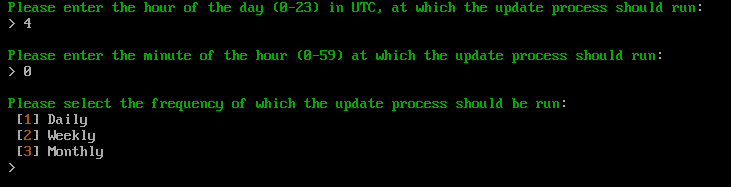
Select the frequency of which you would like the update process to run. Press Enter to continue.
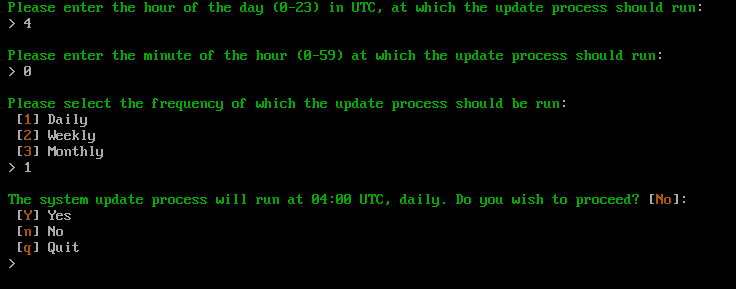
Enter Y and Enter to confirm. Press n and Enter to change any of the selections. Otherwise enter q and Enter to cancel this process.
In this instance the Daily frequency has been selected.
If Weekly or Monthly frequency options were selected, you need to specify the day of the week on which the update process should run:
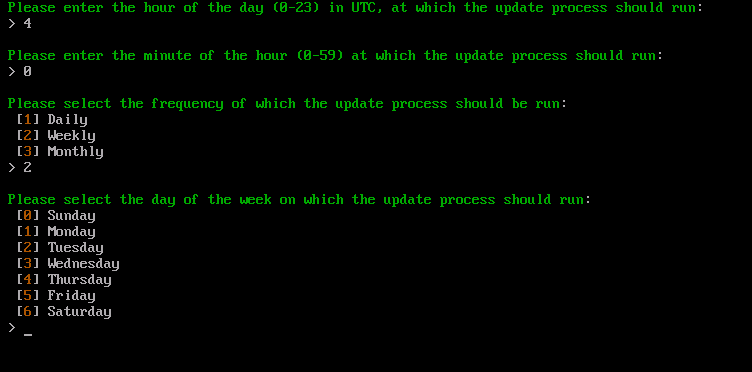
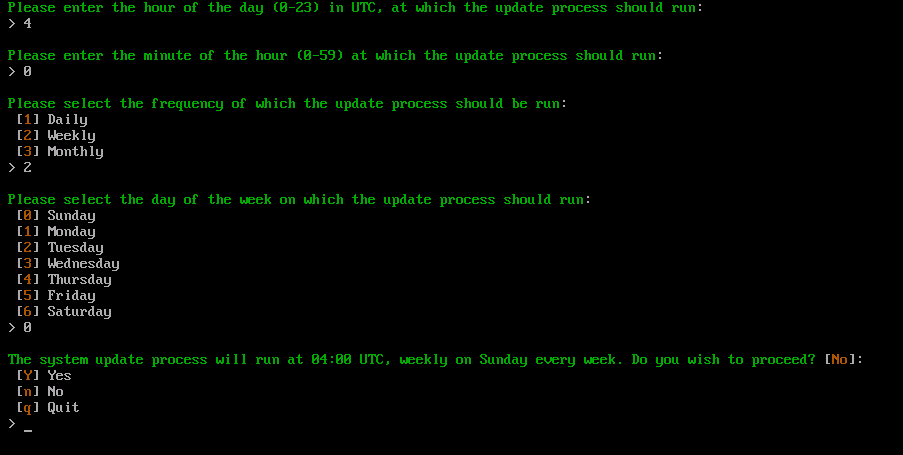
Enter Y and Enter to confirm. Press n and Enter to change any of the selections. Otherwise enter q and Enter to cancel this process.
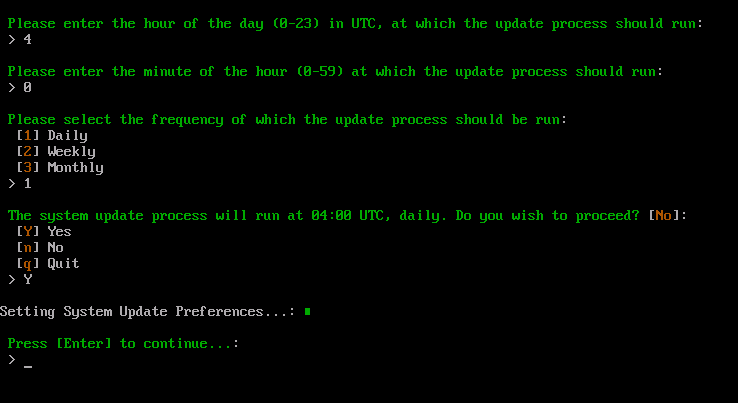
Press Enter to return to the ACC.
Run Manual System Update
The Run Manual System Update option executes the system update process immediately.
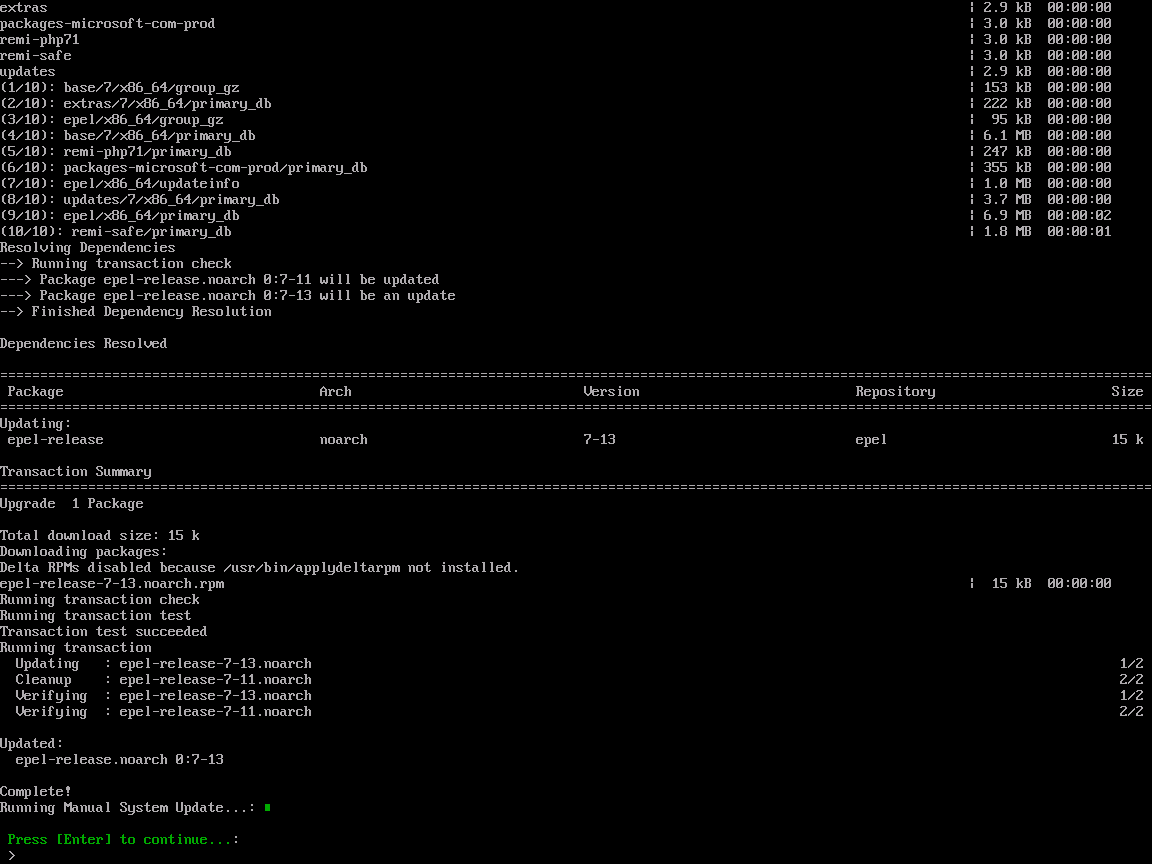
Any updates that are available will be installed. Once the process is complete, press Enter to return to the ACC.
This update process does not reboot the appliance automatically. A manual reboot of the appliance maybe required depend on the type and number of updates that have been installed.
It is also important to be aware that if updates to Apache and PHP/PHP-FPM are applied, these can affect access to AppsAnywhere. The appliance should be rebooted to restore functionality.
View System Update Log
The View System Update Log option will display the YUM/DNF log file detailing all system and system component updates that have been installed.
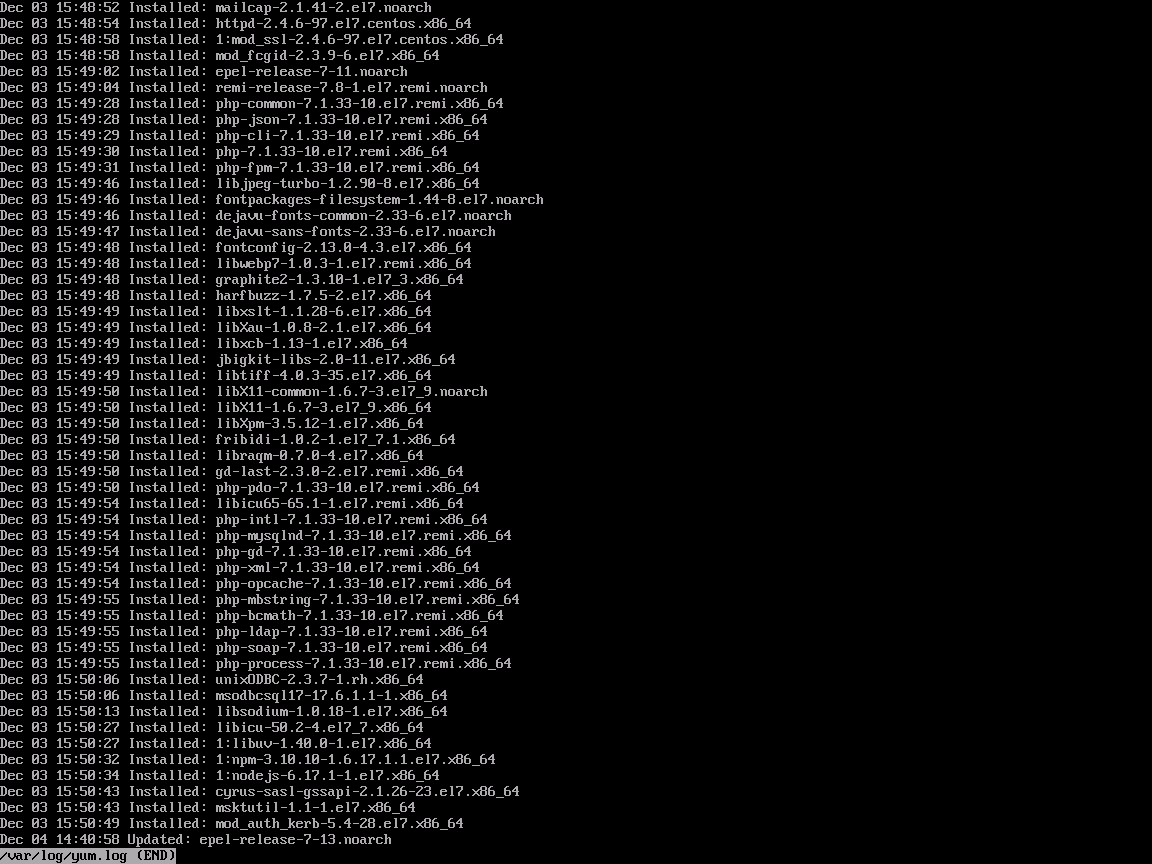
Use the UP and DOWN cursor keys to scroll up and down through the log. Press q to exit the log view and return to the ACC.
Run Manual Deployment Tools Update
The Run Manual Deployment Tools option executes an update to the deployment tools used to manage the AppsAnywhere appliance. This includes:
-
Critical AppsAnywhere patches that are automatically applied.
-
The Application Configuration Console (ACC) itself.
When selecting this option you will be asked to confirm the update. Once you have confirmed the update wait for the process to complete (this may take a few minutes)..
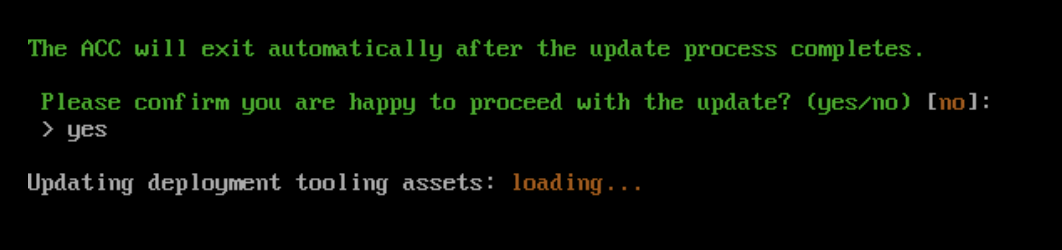
Once the update is complete you will be logged out of the appliance console automatically.