Overview
Suspending a provision allows you to temporarily prevent it from taking effect without having to delete and re-create the provision.
Suspending a provision
When a provisions is suspended it doesn’t take effect in AppsAnywhere. The provision will still exist and can be re-activated at any time by following the steps in the Activating a provision section.
-
Log into AppsAnywhere as an admin user
-
Click on Return to Admin to access the AppsAnywhere admin portal
-
On the navigation menu at the top of the page, go to Provisions > Provisions
-
Use the search box in the top right of the table to quickly find the application you wish to edit
-
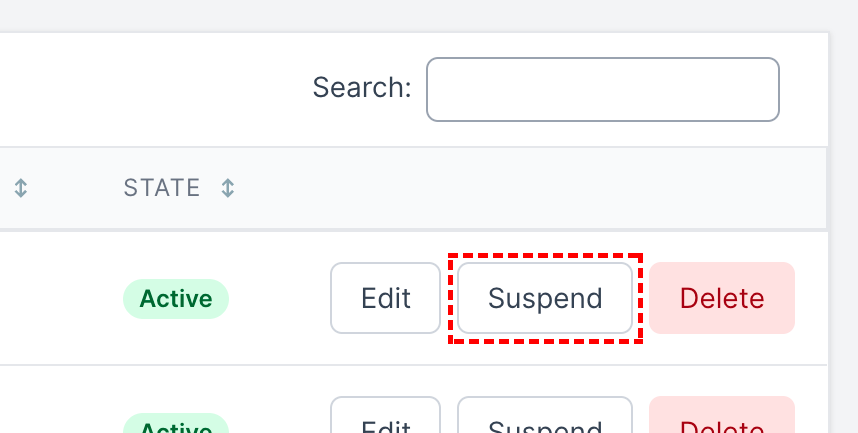
Click Suspend next to that application
Suspending a provision may result in some users losing access to applications.
Activating a provision
If a provisions is suspended it can be activated, this will result is the provision taking effect again in AppsAnywhere.
-
Log into AppsAnywhere as an admin user
-
Click on Return to Admin to access the AppsAnywhere admin portal
-
On the navigation menu at the top of the page, go to Provisions > Provisions
-
Use the search box in the top right of the table to quickly find the application you wish to edit
-
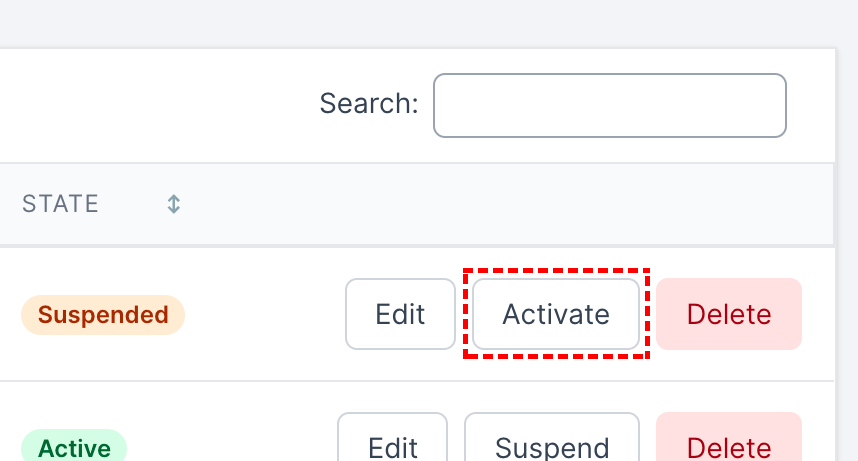
Click Activate next to that application