
Overview
If you need to review or edit any of the applications or desktops you have defined in AppsAnywhere, the first thing you will need to do is find them!
Warning
Making changes to applications and desktops that are being actively used by users may impact on their experience. Be careful when making any changes.
Viewing Applications
Navigate to the Applications page:
-
Log into AppsAnywhere as an admin user
-
Click on Return to Admin to access the AppsAnywhere admin portal
-
On the navigation menu at the top of the page, go to Applications > Applications
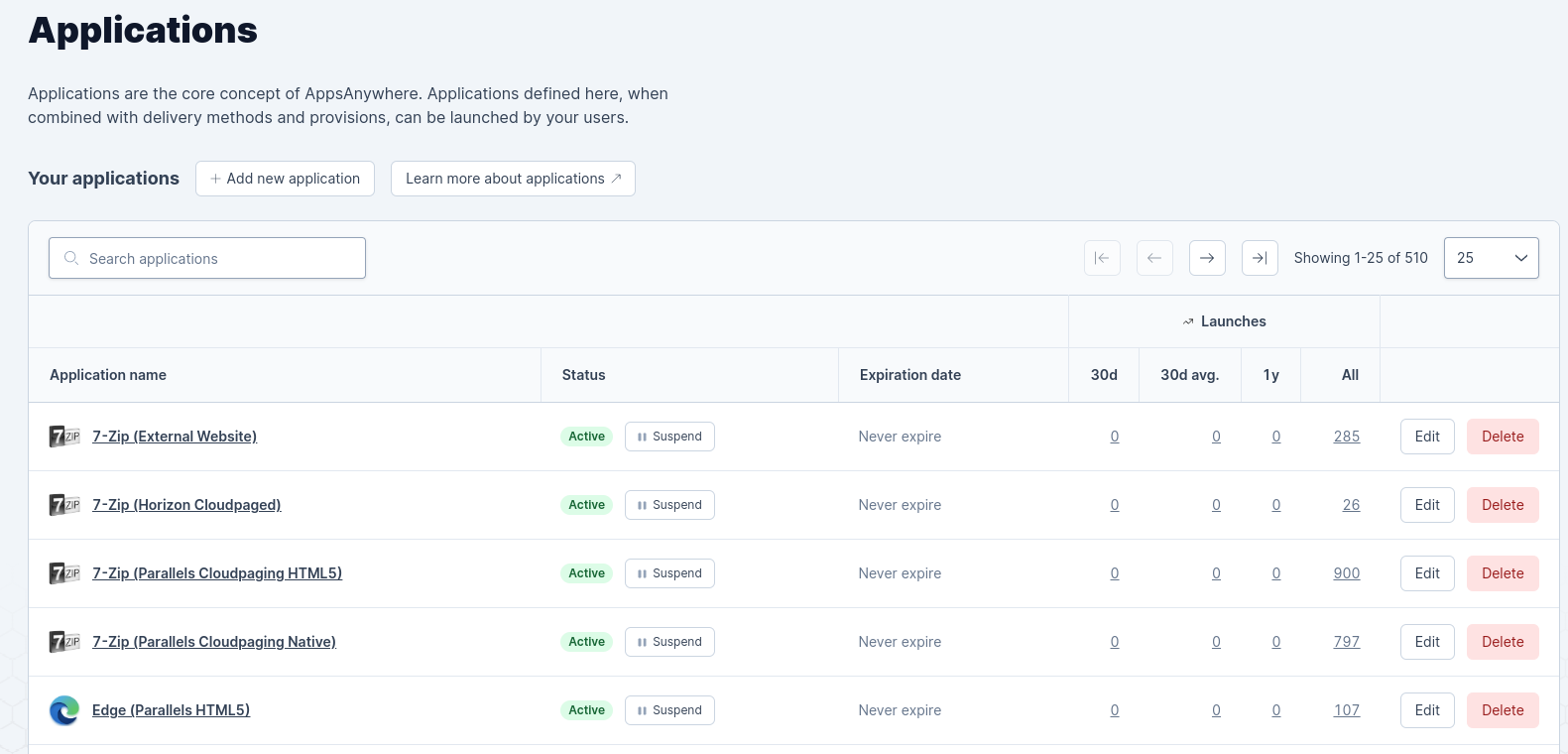
Here you will see a full list of applications currently defined in AppsAnywhere.
From this page you can:
-
Click the + Add Application button in the top left to create a new application - See Creating an application
-
Click the Edit button next to an application to modify the details of that application - See Editing an application
-
Click the Delete button next to an application to delete that application
-
Click the Suspend button next to an application to suspend that application
Viewing Desktops
Navigate to the Desktops page:
-
Log into AppsAnywhere as an admin user
-
Click on Return to Admin to access the AppsAnywhere admin portal
-
On the navigation menu at the top of the page, go to Desktops > Desktop
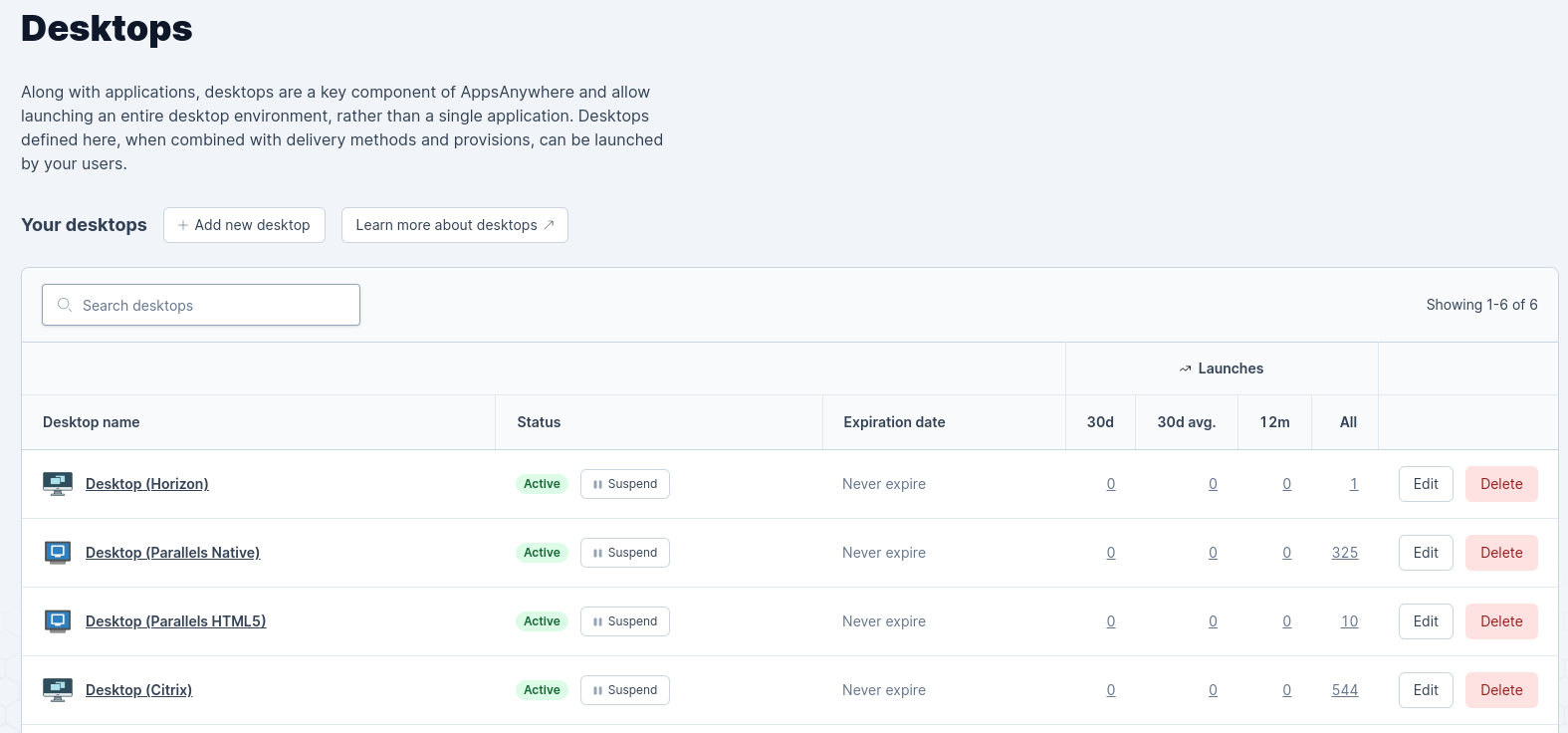
Here you will see a full list of desktops currently defined in AppsAnywhere.
From this page you can:
-
Click the + Add Desktop button in the top left to create a new desktop - See Creating a desktop
-
Click the Edit button next to a desktop to modify the details of that desktop - See Editing a desktop
-
Click the Delete button next to a desktop to delete that desktop
-
Click the Suspend button next to a desktop to suspend that desktop
Useful Tip
If you have a large number of applications or desktops, you can use the live search feature (in the top left hand corner of the table) to quickly find the entry you are looking for.
Related Articles