
This feature requires AppsAnywhere Cloud Delivery to be enabled.
Overview
The AppsAnywhere Cloud Delivery delivery method allows users to access apps from the AppsAnywhere Library, which is a great option for providing Windows apps to non-Windows devices, or providing a heavy app to a lightweight device.
Before you start
To work with AppsAnywhere Cloud Delivery one of our Implementations or Support staff will need to perform some initial configuration to connect things up.
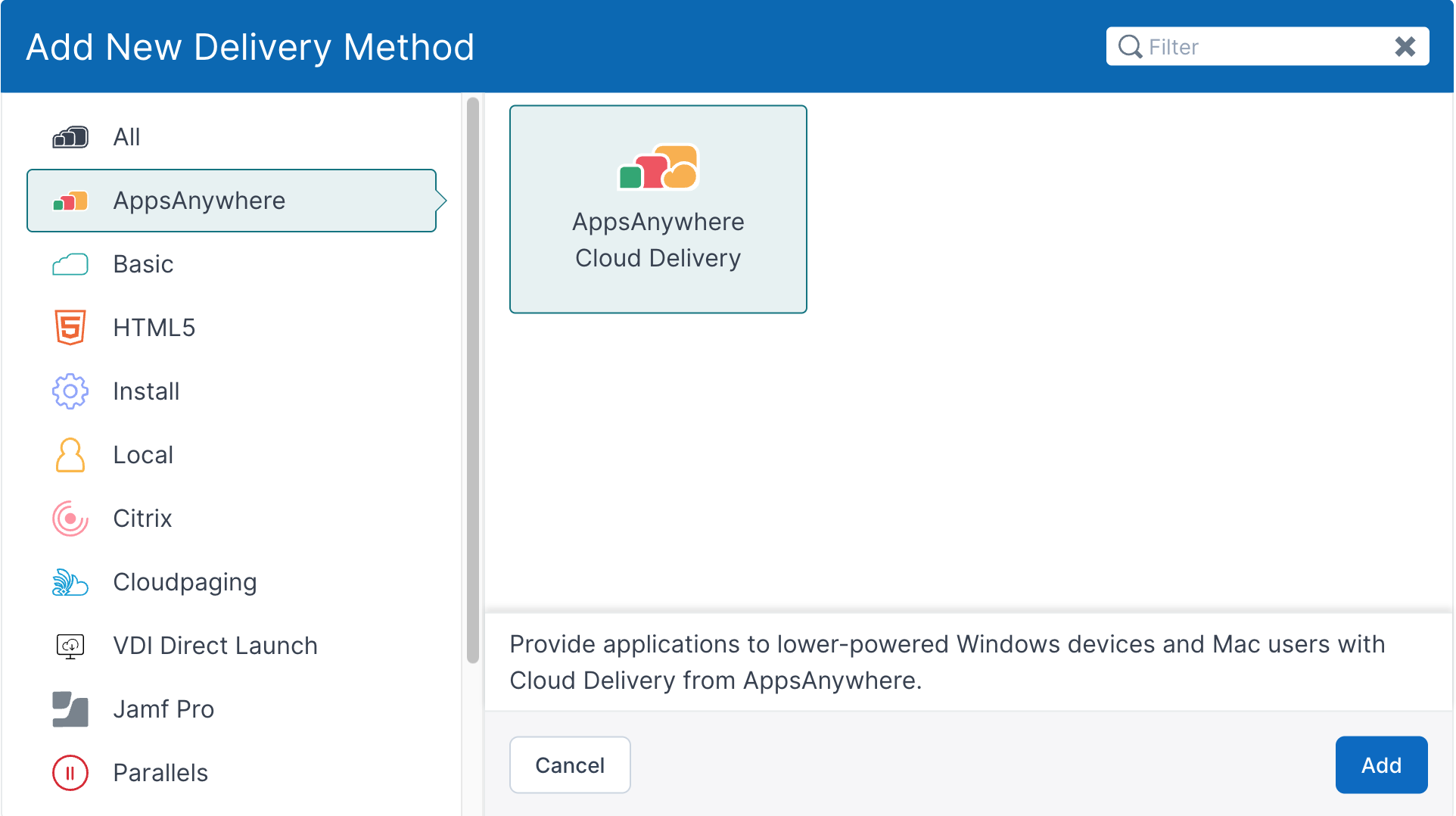
If the delivery method appears for you when attempting to add a new delivery method to an application (shown below), this is usually a good indicator that everything is set up for you.
Getting started
You can find the new delivery method when Adding delivery methods to an app if you select the AppsAnywhere category from the left-hand side of the Add New Delivery Method dialog, by searching for AppsAnywhere Cloud Delivery, or by finding it in the list of all delivery methods.
The delivery method
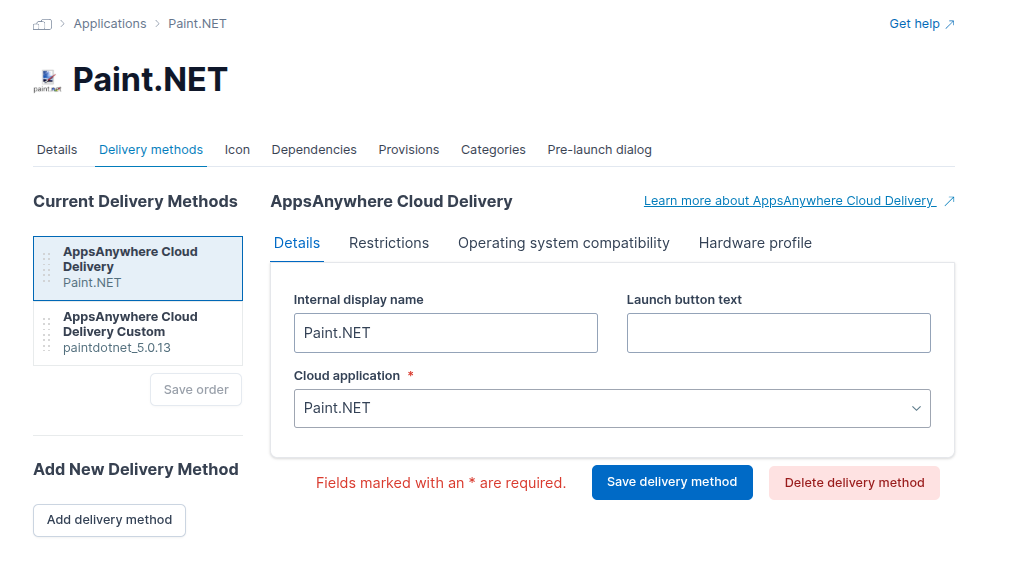
The delivery method itself is intentionally simple. In this case, simply pick which Cloud application should be launched from those available.
If an application isn’t listed and you think it should be, please get in touch with us.
You can now set any restrictions, OS compatibility or hardware profiles as you would for any other delivery method. If you’re not sure about these, check out Common Delivery Method Settings .
Now you can freely provide the application via the new AppsAnywhere Cloud Delivery technology to all your users however you prefer!